
Guide · GDTF Maker
Create a GDTF file for any fixture.
No fixture file? Make one from the manual, or by hand.
Manual To GDTF
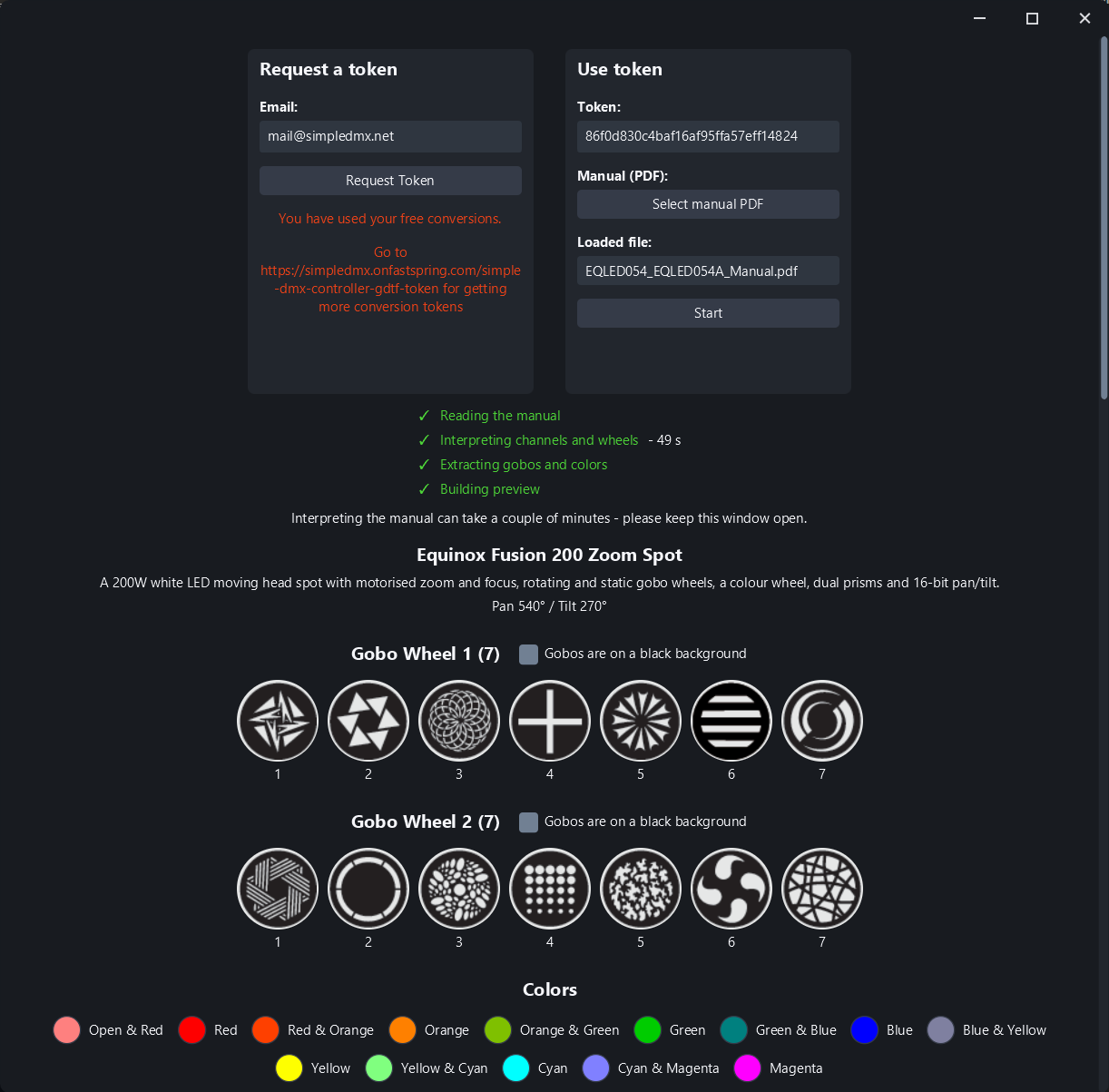
Almost every fixture ships with a PDF manual, and buried in it is a channel table listing exactly what SDC needs to know. Manual To GDTF reads it for you. From a single PDF it pulls out:
- ·The DMX modes your fixture offers, so you can pick the one it is set to
- ·Every channel and what it does, straight from the channel table
- ·Color wheel slots and their colors, so palettes show the true output color
- ·Gobo wheel slots
The time difference is the point. Typing in a 14-channel fixture by hand and getting every value range right is an evening's work. Manual To GDTF turns that into a couple of minutes - and you end up with named channels and automatic palettes instead of a row of numbered faders.
Simple GDTF Maker
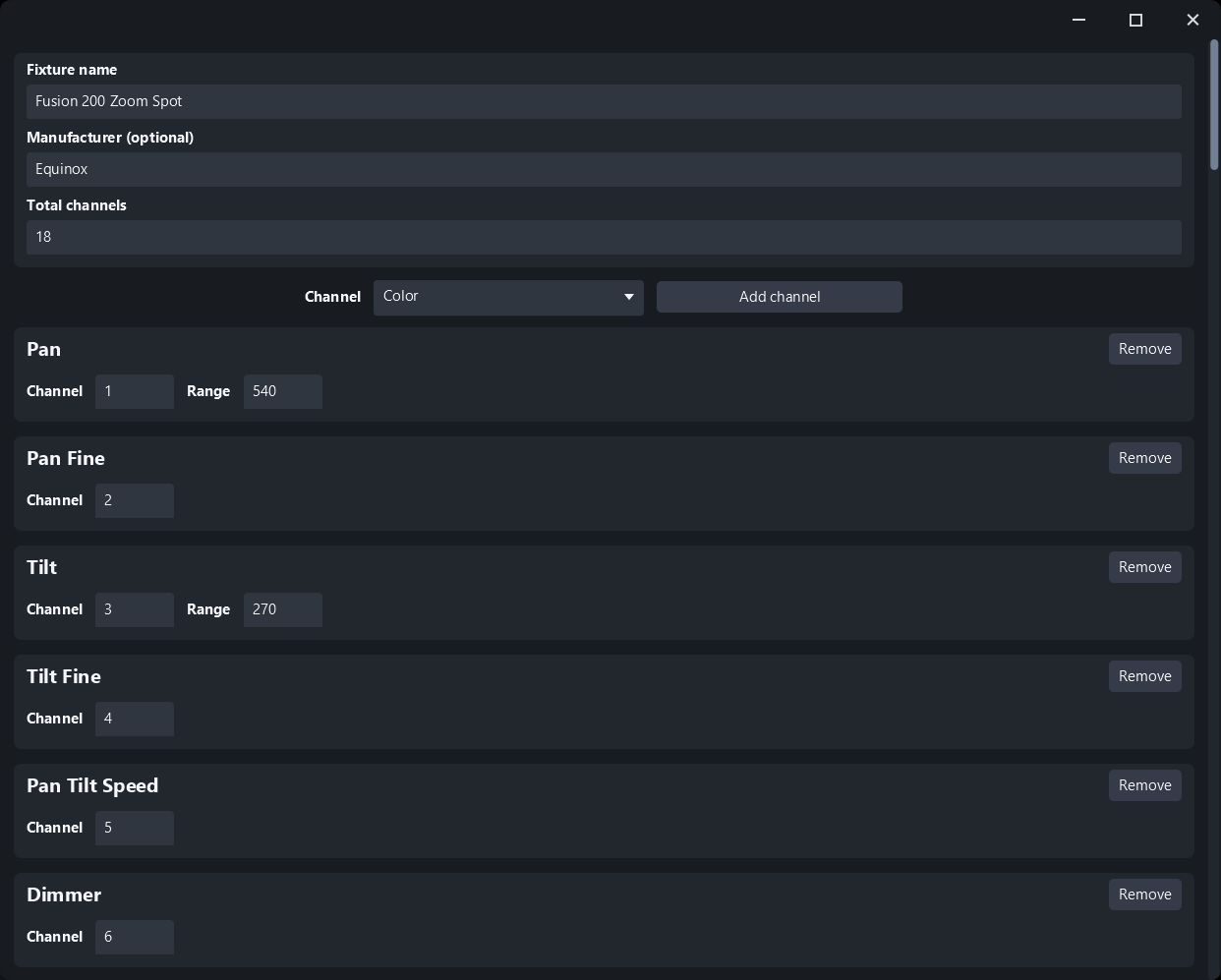
Sometimes you just want to do it yourself. Four steps:
Set your channel layout and how many channels the fixture uses.
Name each channel with its real function.
Define your color and gobo wheels.
Save the finished .gdtf file.
What you get out
Both Makers write a standard GDTF file. That matters more than it sounds: the file is not locked to SDC. It follows the same open format every GDTF-capable console and lighting program reads, so the work travels with you.
Inside SDC, a fixture added from your new file behaves like any other GDTF fixture:
- ·Every fader is labelled with its real function, not just a channel number
- ·Color palettes show the true output color of each wheel slot
- ·Gobo palettes show the actual shape you will get
- ·Ready-to-use palettes appear the moment the fixture is patched
If your model is missing from the public library, you can upload the file you made to GDTF-Share so the next person searching for it finds it waiting.
What it costs
Simple GDTF Maker
Free, unlimited
It runs locally, so there is nothing to meter.
Manual To GDTF
Two free tokens
An online service that works on tokens. Two free is enough to run it on your own fixtures and judge the result. Extra tokens can be bought inside SDC.
Both Makers open from the Add Fixture screen, right next to where you would normally load a GDTF file. SDC is free in 2-hour sessions, so you can install it and make your first fixture file without paying anything.